IndexN°08

Bard
Clipboard, draw and dictate for Windows, in one keyboard-first panel.
Version 2.0.1WindowsWindows 10 and 11
01What it is
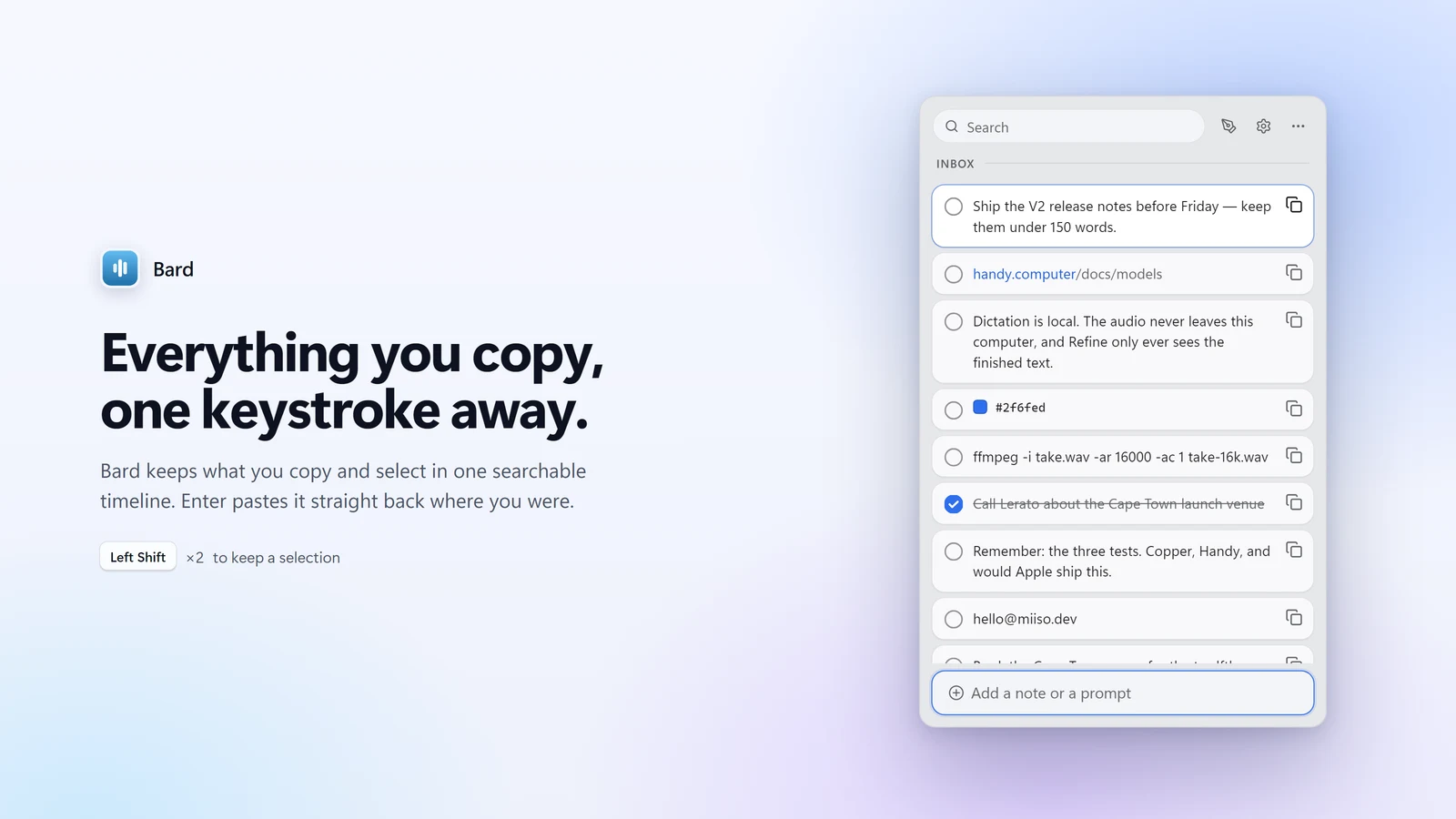
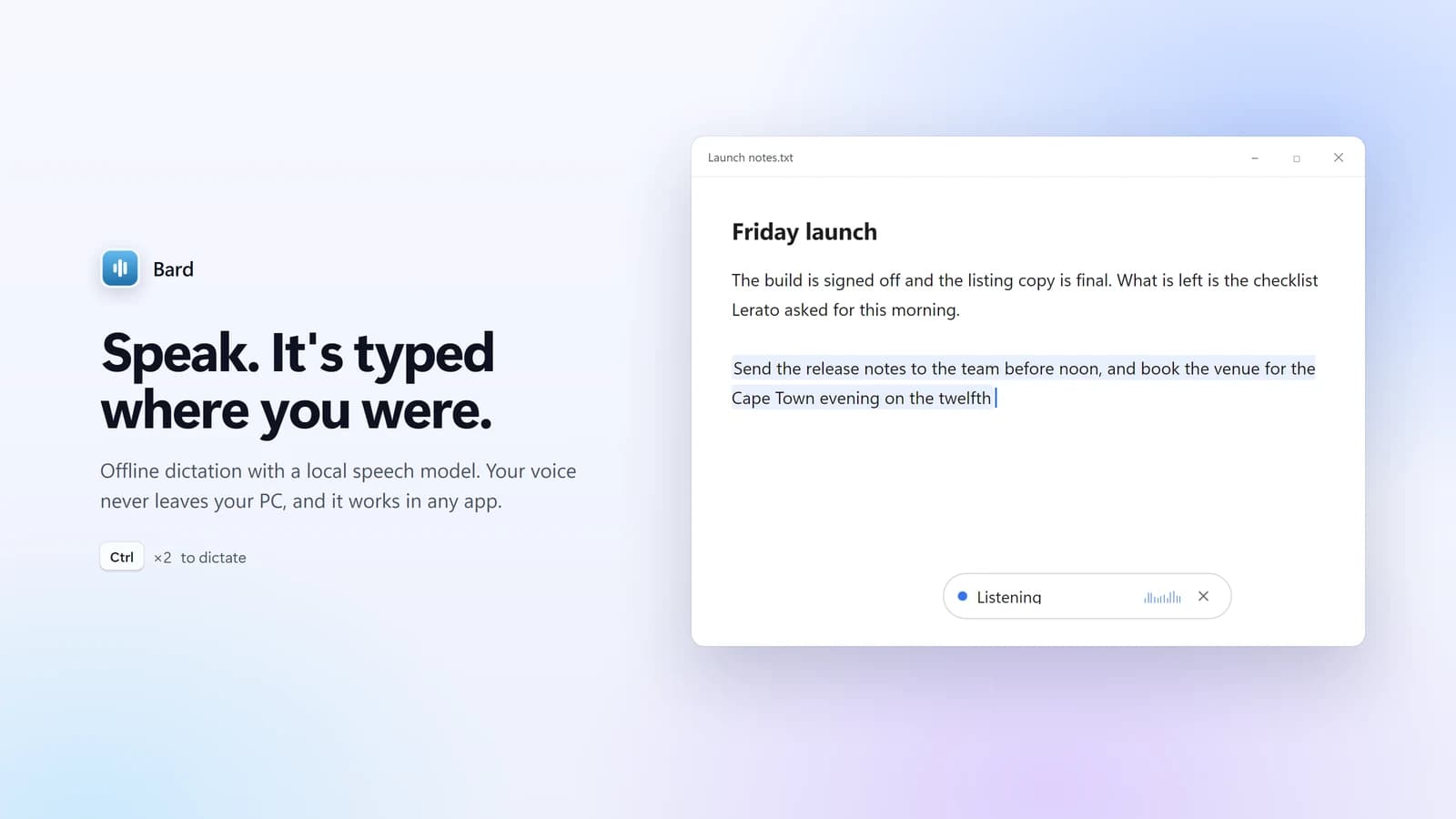
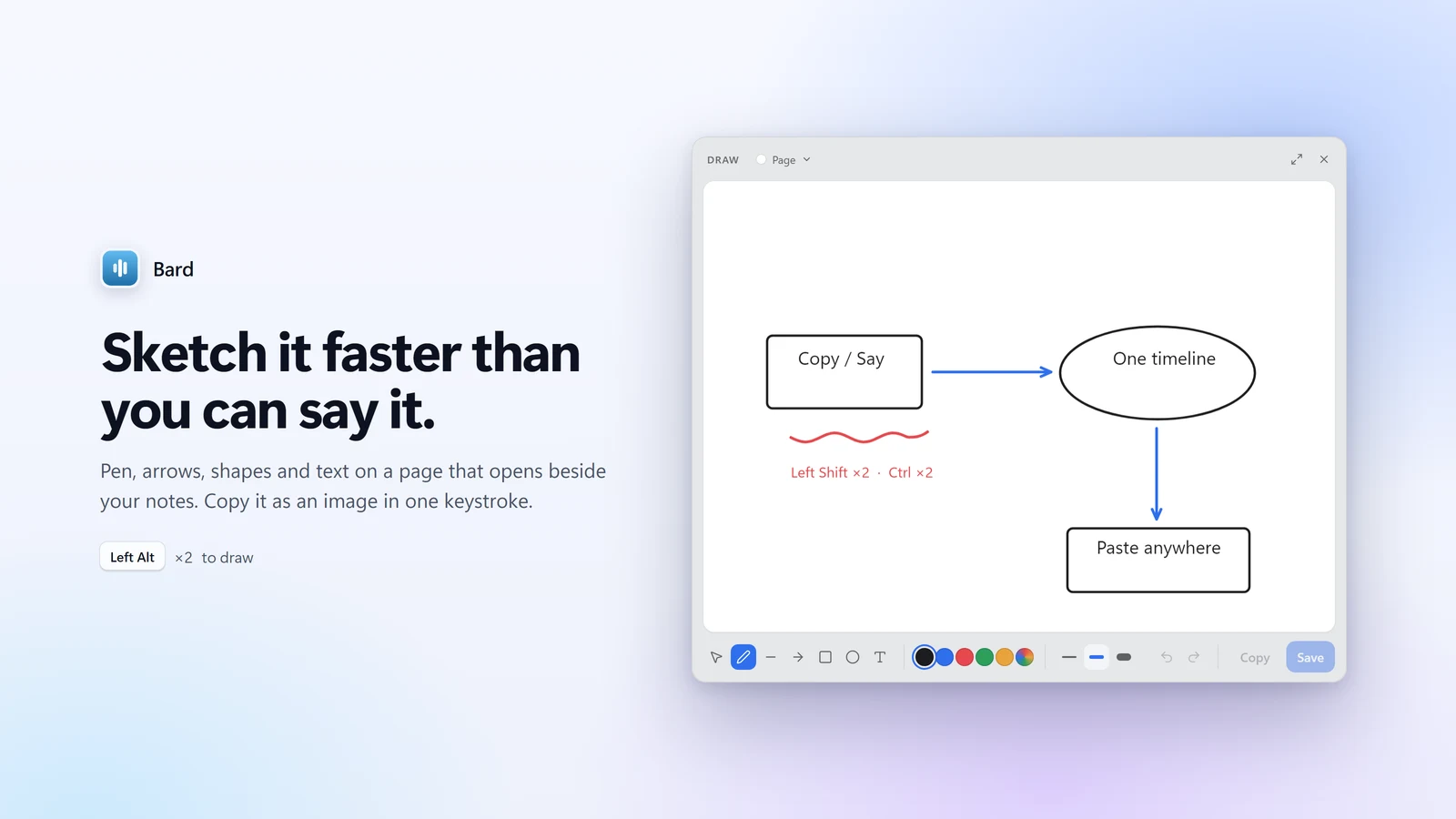
Bard keeps everything you copy in one searchable timeline and pastes it back where you were. Tap Ctrl twice and speak: a local speech model types it wherever your cursor is. Tap Left Alt twice for a sketchpad that copies as an image.
No account to buy it, none to use it, and no Bard sync service. Your voice never leaves the PC.
02Specification
- Version
- 2.0.1
- Platform
- Windows 10 and 11
- Price
- $20 once · 365 days from activation · up to 3 PCs · 14-day trial
- Account
- None needed, to buy or to use
- Built with
- Tauri 2 · Rust · React · SQLite · local speech models
- Distribution
- Direct installer · Microsoft Store
03How it works
Three habits, one panel
Left Shift twice captures a selection, Ctrl twice dictates, Left Alt twice draws. Enter pastes back into the app you were in.
Dictation starts local
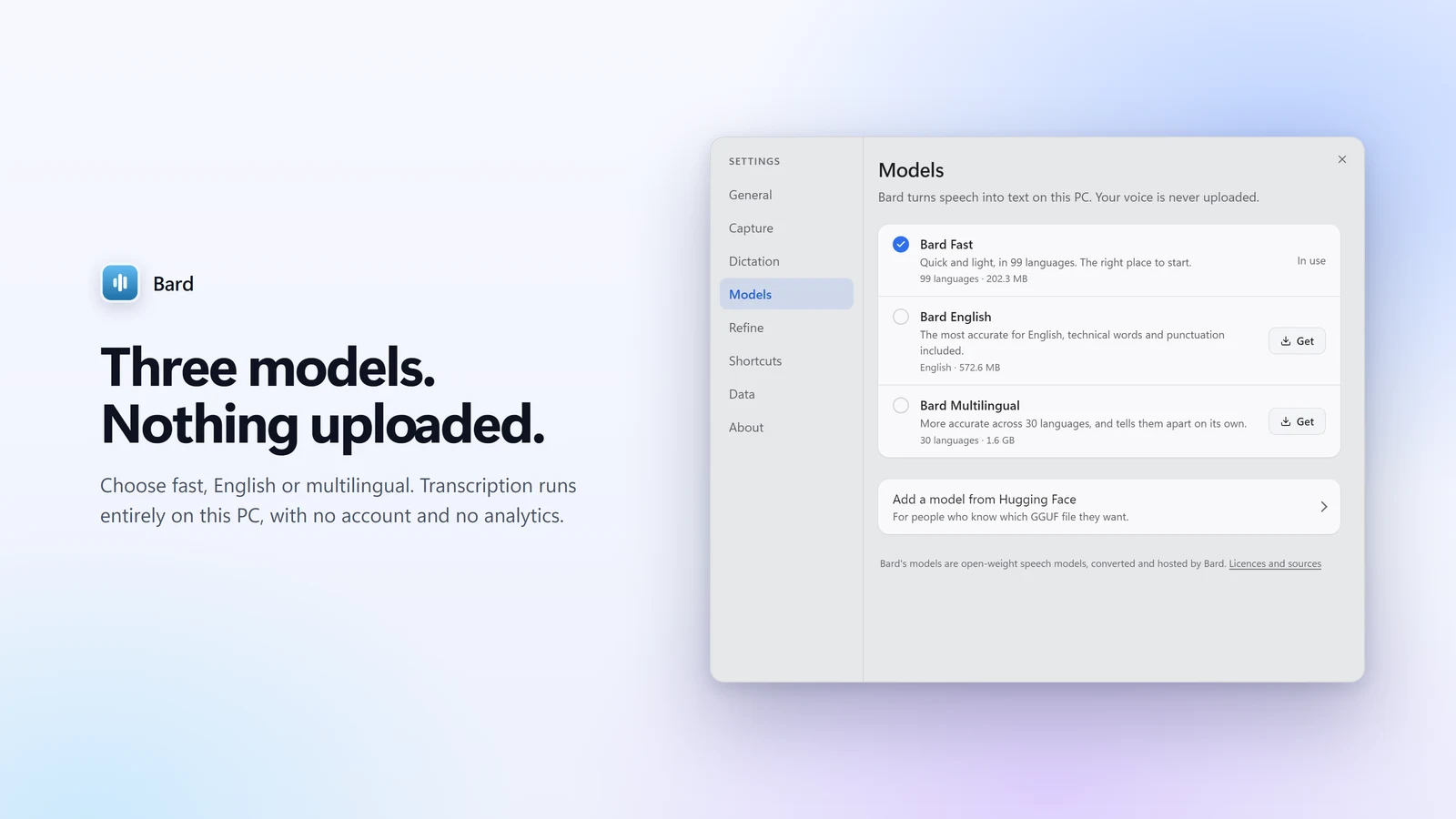
Audio is recorded and transcribed on the machine, with three curated speech models: fast multilingual, best English, best multilingual.
The cloud boundary is explicit
Refine is optional and off by default. It sends only the finished transcript text, and a failed refine never replaces a good local transcript.
04Notes
Windows
Bard targets Windows 10 and 11 with the WebView2 runtime that ships with them.
SmartScreen
The direct installer is not code-signed, so on first run Windows may warn you. Choose More info, then Run anyway.
Internet
You need a connection to download the installer and the speech models. Local dictation sends no audio anywhere.
Licence
One $20 licence runs 365 days from its first activation on up to three PCs. It is sold only here, never renews on its own, and a reminder arrives by email before it ends.
Refine
Cloud refinement through OpenRouter is optional and off by default. Turned on, it sends only the completed transcript text, using the model ID you enter.
05Support
Write to miisodev@gmail.com about anything in Bard, including a Refine result that came back wrong, harmful or inappropriate. Send what you said and what Refine returned; every report is read and acted on.